
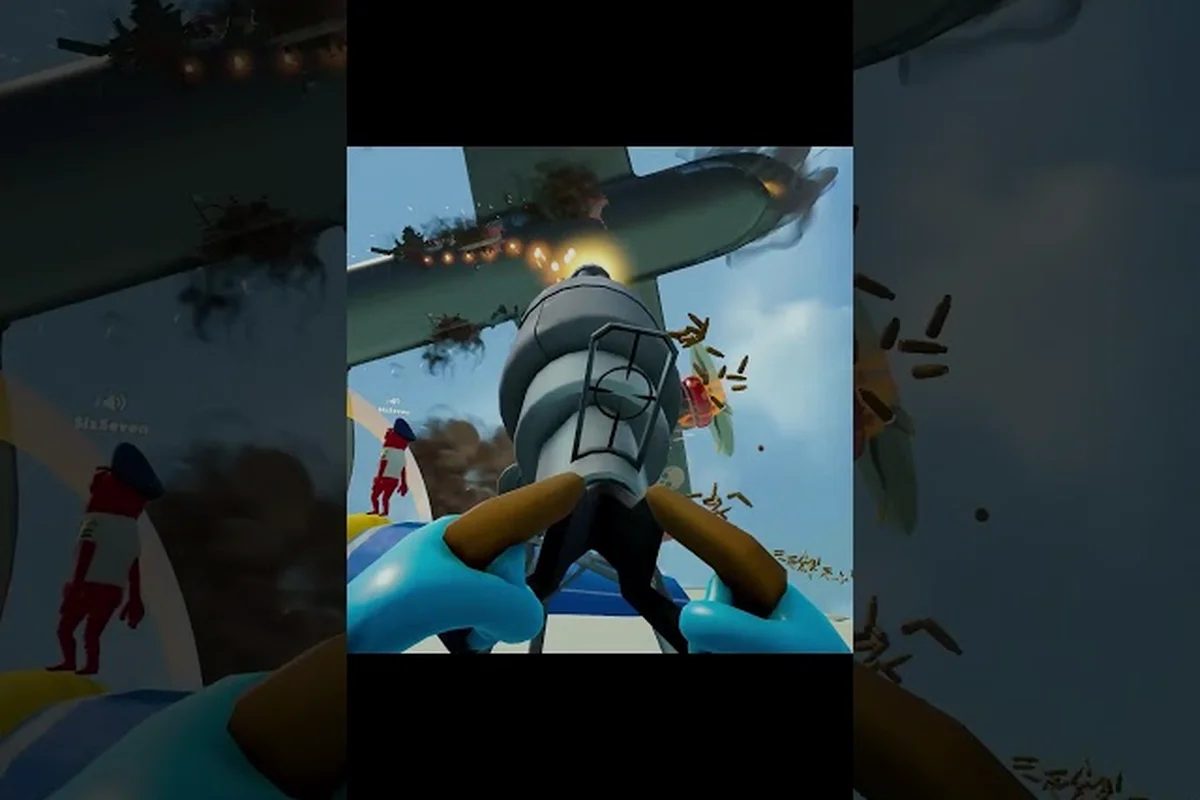
In Dear Passengers, the difference between a smooth landing and a nosedive into the tarmac usually comes down to how well the pilot reads the map before takeoff. Learning dear passengers how to navigate turns chaotic co-op sessions into coordinated comedy because the pilot and the cabin crew can finally agree on where the plane is actually going. This guide breaks down map reading, route planning, autopilot toggles, and the small heading tricks that keep a struggling airliner pointed at the right runway, even when turbulence and physics-based chaos try to drag it off course.
Reading the Dear Passengers Flight Map
Before anyone touches the yoke, the pilot has to translate the Dear Passengers flight map into a workable plan. The map is intentionally cluttered, and the cabin crew cannot help with the route if the pilot cannot explain it in two short sentences. Treat the map as a three-layer puzzle: the waypoints that define the corridor, the hazards that bend the corridor, and the optional diversions that pay more but cost more risk.
Waypoints, Corridors, and Checkpoints
The map is built around a chain of waypoints stitched together by invisible corridors, and the plane drifts toward the next node unless the pilot actively corrects. According to the official Steam store page, players can expect dynamic weather, turbulence, and air pockets to complicate that simple chain, so plotting a route with one or two spare waypoints gives the pilot room to recover from a bad heading change. Each waypoint has a tolerance ring; fly through the ring, not the dot, because the Dear Passengers plane physics model rewards gentle course corrections over snap turns.
Weather Cells and Air Pockets
Dynamic weather on the map is shown as colored blobs drifting across the corridor, and air pockets sit underneath them as small dashed markers. The cabin cannot see these hazards from inside, so the pilot has to call them out over the intercom before the plane crosses into them, which is why the dear passengers galley guide covers how the intercom fits into the broader crew loop. Skipping a pocket saves a few seconds and almost always trades them for a sudden altitude loss that the cabin crew has to clean up after.
Diversion Nodes and Cargo Runs
Some routes branch into optional diversion nodes that carry higher-paying cargo or riskier passengers. The official store description flags "risky passengers and high-paying cargo" as core features, which means a diversion usually trades a quieter cabin for a fatter payout and a rougher ride. Treat each diversion as a separate contract, not a bonus, and decide before takeoff whether the route will accept one, two, or none.
| Map Element | Visual Cue | Pilot Action | Risk Level |
|---|---|---|---|
| Waypoint ring | Dashed circle on path | Line up approach early | Low |
| Weather cell | Colored drift blob | Bank around or climb over | Medium |
| Air pocket | Small dashed marker | Slow and level, brace cabin | Medium-High |
| Diversion node | Branching line with icon | Decide pre-flight, commit fully | High |
| Destination runway | Solid icon at end | Configure final heading | Critical |
Planning a Dear Passengers Flight Route
A Dear Passengers flight route is not a straight line; it is a series of deliberate choices about what to avoid and what to chase. Planning happens in the cockpit before the engines spool up, and the pilot who plans well spends the actual flight making small corrections instead of dramatic recoveries. Use the planning step to set a primary corridor, a backup corridor, and a clear abort decision point.
Step 1: Pick the Primary Corridor
Choose the corridor that matches the cargo manifest, the weather outlook, and the crew skill level. A short corridor with calm skies is ideal for first-time pilots because it exposes them to the basics of heading, altitude, and the autopilot toggle without overwhelming the cabin. Longer corridors introduce more weather cells, more waypoints, and more opportunities for a single bad heading change to compound into a diversion.
Step 2: Set a Backup Heading
The backup heading is the course the pilot will switch to if the primary corridor is blocked by a storm or closed by an event. Write the heading numbers on a sticky note or call them out loud so the cabin crew can confirm the switch, because Dear Passengers is built around co-op communication and a silent switch usually turns into a confused nosedive. The backup should differ by at least 10 to 15 degrees so the autopilot does not fight a near-duplicate command.
Step 3: Mark the Abort Point
The abort point is the last waypoint where the plane can still turn back, land at a safe strip, or divert without losing the cargo contract. Anything past the abort point is a commit, and the pilot should treat it as such by handing control of turbulence management to the cabin crew and focusing purely on heading. Marking the abort point early makes the difference between a controlled reroute and a full mission failure. Note: Dear Passengers has not launched yet, so the figures below are community estimates based on trailers and discussion threads rather than confirmed FLEXUS values.
| Planning Step | Time Cost | What It Prevents | Crew Benefit |
|---|---|---|---|
| Primary corridor | 30-60 seconds | Mid-flight replanning | Smooth leg |
| Backup heading | 15-30 seconds | Stuck-in-storm panic | Confident switches |
| Abort point | 10-20 seconds | Lost cargo and rating | Clean bailout |
| Diversion decision | 20-40 seconds | Crew split-second debate | Pre-committed plan |
Using the Dear Passengers Cockpit for Navigation
Dear Passengers how to use the cockpit starts with knowing which instrument to glance at and which one to ignore until something goes wrong. The cockpit is intentionally overloaded, and a new pilot can spend an entire flight staring at the wrong gauge. The fix is a quick instrument map: heading on the compass, altitude on the tape, speed on the small dial, and route on the dedicated map screen.
Compass and Heading Changes
The compass is the pilot's primary tool, and small heading changes beat large swings because the plane physics model punishes aggressive banking. Turn the heading knob in 5-degree increments for course corrections, and reserve 15- to 30-degree swings for genuine reroutes around weather. The dear passengers cockpit guide covers the full layout, but the short version is that the compass lag is real, so the pilot must lead the turn and roll out early.
Altitude Tape and Air Pocket Recovery
The altitude tape shows the plane's height in hundreds of feet, and it drops fast when the plane hits an air pocket. When the tape starts to bleed downward, the pilot should add a small amount of power, hold the current heading, and let the plane climb back instead of pitching up sharply. Sharp pitches in Dear Passengers look heroic, but they usually stall the engines, spill the cabin drinks, and trigger a chain of passenger complaints that the crew has to absorb.
Map Screen and Route Preview
The map screen is the pilot's planning mirror, and it should be opened at least once per leg to confirm the next two waypoints. Tapping the map screen briefly does not disrupt flight, so use it as a quick sanity check after every heading change. If the next waypoint drifts off the expected line, the heading change was either too small or too large, and a 5-degree correction usually fixes it without a full re-roll.
Mastering Dear Passengers Autopilot
Dear Passengers autopilot is a co-pilot, not a replacement pilot, and treating it as either extreme makes every flight harder. The autopilot holds a heading, holds an altitude, and follows the corridor as long as the inputs are clean and the cabin is not screaming about turbulence. Used correctly, it frees the pilot to manage weather calls, brief the cabin, and plan the next leg, which is exactly the rhythm the official co-op pitch describes on the Dear Passengers Steam store page.
When to Engage Autopilot
Engage autopilot when the plane is level, trimmed, and pointed at a clean waypoint on the primary corridor. It is the right call for cruise segments between waypoints, for long stable climbs above weather, and for the final approach when the runway is locked and the wind is calm. Disengage it any time the cabin is in crisis, the weather cell is closing, or the plane is past the abort point with an unclear heading.
Autopilot Toggle Combinations
The autopilot in early playtests exposes a heading hold, an altitude hold, and a combined mode, and pilots can stack them in different orders. Heading hold first then altitude hold keeps the plane on the corridor without fighting trim, which is the recommended default for first-time pilots. Altitude hold first then heading hold is better for threading a narrow weather gap because the plane stays flat while the pilot rolls the heading. The official Dear Passengers website frames these toggles as part of the broader co-op chaos, and the community on the Steam Community Hub regularly debates which stacking order feels safer in turbulence.
Disengaging Without Spinning Out
Disengaging the autopilot mid-turn is one of the fastest ways to spin the plane, because the yoke snaps back to the pilot's last input and the engines briefly desync. The safe pattern is to roll the plane level first, center the yoke, then click the autopilot off. This small sequence keeps the plane flying straight while the pilot's hands take over, and it gives the cabin crew a moment to brace instead of reacting to a sudden roll.
| Autopilot Mode | Best For | Risk if Misused | Cabin Impact |
|---|---|---|---|
| Heading hold only | Cruise between waypoints | Drift if wind shifts | Low |
| Altitude hold only | Climbing over weather | Slow descent into pocket | Medium |
| Combined mode | Long stable legs | Lag on heading change | Low |
| Manual override | Crisis, weather gap, runway | Spin if rolled mid-toggle | High |
Advanced Navigation Tactics and Crew Roles
Once the basics of routing and autopilot feel natural, navigation becomes a crew sport where the pilot and the cabin staff hand responsibilities back and forth. The pilot owns the corridor, the heading, and the autopilot state, while the cabin owns passenger mood, drink cart timing, and intercom calls that warn of turbulence. The official announcement trailer on the Dear Passengers YouTube channel shows this handoff in action, and the IGN game page frames the whole pitch as one player piloting while the rest keep the cabin together.
Co-op Heading Calls
Co-op heading calls are short, numeric, and time-stamped. The pilot should call the current heading every 30 seconds, the planned heading change, and the time until the change. "Heading 045, switching to 060 in ten seconds" is a better call than "I am about to turn a little," because the cabin crew can brace, lock the carts, and warn high-risk passengers before the bank starts.
Weather Reroutes vs. Weather Climbs
Two valid responses to a weather cell are a reroute around it or a climb over it, and the choice depends on cargo weight, cabin stability, and remaining waypoints. A reroute costs time but keeps the cabin calm, which matters when the manifest includes nervous flyers. A climb over costs altitude and fuel but preserves the corridor, which matters when the route is long and the abort point is close. Discuss the choice before the cell arrives so the cabin is not surprised by either option.
Final Approach and Runway Alignment
The final approach is where the autopilot toggle should be flipped off, the heading trimmed by hand, and the cabin warned to brace. The runway alignment is the last 5 degrees of heading change, and it must be smooth because the scoring model punishes hard touchdowns. If the alignment drifts past 10 degrees off, the pilot should abort the landing, climb out, and reattempt rather than force a correction at the last second.
| Tactic | Pilot Focus | Cabin Focus | When to Use |
|---|---|---|---|
| Co-op heading call | Numeric headings | Brace and secure | Every 30 seconds |
| Weather reroute | Big heading change | Calm passengers | Nervous manifest |
| Weather climb | Altitude and power | Hold cabin items | Long route, low fuel |
| Final approach | Hand trim, smooth | Brace, lock carts | Last 2 minutes |
Frequently Asked Questions
How do I start planning a Dear Passengers flight route as a new pilot?
Open the map screen in the cockpit before takeoff, pick a primary corridor with one to two spare waypoints, and write the heading numbers down so the cabin crew can confirm them. According to community discussion on the Steam Community Hub, pilots who plan two headings before departure recover faster when dynamic weather shifts mid-flight.
What does the Dear Passengers autopilot actually do?
The dear passengers autopilot holds a heading and an altitude when both modes are stacked, and it follows the active corridor as long as the inputs stay clean. It does not dodge weather, manage passengers, or land the plane, so the pilot must still hand-fly any approach or weather reroute.
How does plane physics affect my heading changes?
The dear passengers plane physics model penalizes aggressive banking, which means 5-degree heading corrections are safer than 30-degree swings because they let the plane settle between inputs. Sharp pitches during air pocket recovery usually stall the engines and spill the cabin, so small power and trim changes outperform dramatic stick pulls.
Can the cabin crew help with navigation?
Yes, but only through calls and intercom warnings, because the cabin cannot see the map. The pilot should brief the cabin on the primary heading, the backup heading, and the abort point so the crew can confirm switches out loud and brace the passengers before each turn.
When should I turn the autopilot off?
Turn it off when the plane enters a weather gap, when the cabin is in crisis, or when the final approach begins, because the yoke has to be hand-flown through turbulence and onto the runway. Rolling the plane level before disengaging prevents the snap that often spins the airliner right after a toggle.