
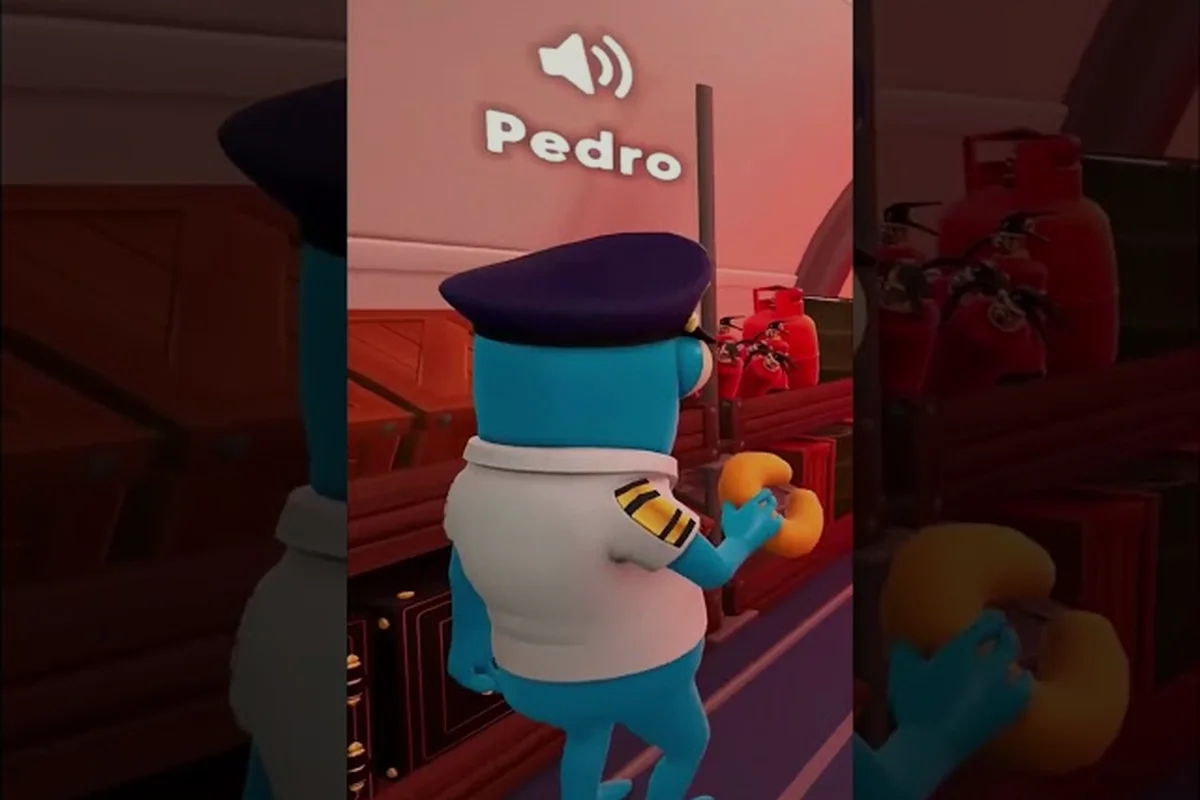
Dear Passengers hosting a game comes down to a handful of setup choices that determine whether your crew laughs together or crashes together. FLEXUS's online co-op comedy sim asks one player to fly the plane while everyone else scrambles around the cabin, so the lobby you build before takeoff decides the whole tone of the shift. This guide walks through the confirmed hosting options, the social features the developers have telegraphed so far, and the community questions that still hang over the launch window.
Because the game is still listed as TBA 2026 on Steam, several details remain unconfirmed. Anything that hasn't been published by FLEXUS or locked down on the official Dear Passengers Steam store page is flagged here with qualifiers like "not yet confirmed" or "community expects," so you can plan your first session without overcommitting to rumors.
Dear Passengers Hosting a Game: What the Store Page Confirms
The most reliable facts about Dear Passengers hosting a game come from the Dear Passengers on Steam listing, which describes the game as an online co-op comedy sim where one player pilots the plane while the rest keep the cabin together. The page frames the core loop around serving passengers, managing cargo, and stopping small problems from becoming full-blown disasters, which is the framing the hosting flow is built around.
| Confirmed Hosting Element | Source Detail | Status |
|---|---|---|
| Online co-op with friends | Steam KEY FEATURES list | Confirmed |
| One pilot + cabin crew split | Steam description + official site tagline | Confirmed |
| Physics-based cabin chaos | Steam KEY FEATURES list | Confirmed |
| Dynamic weather and turbulence | Steam KEY FEATURES list | Confirmed |
| Risky passengers and high-paying cargo | Steam KEY FEATURES list | Confirmed |
Notably absent from the store page is any mention of a private server browser, a public match list, or offline bots. Those omissions matter when planning your first session, because the only confirmed way to fill a lobby right now is to bring your own crew through direct invites.
Who Hosts, Who Flies, and Who Serves
The Dear Passengers pilot vs cabin crew split is baked into the host selection. When a player creates the lobby, they effectively pick a seat for themselves before anyone else joins: the host is usually the pilot, since that role owns the throttle, yoke, and radio, while invitees default to cabin crew positions. FLEXUS has not announced a hard cap on cabin crew size, but community discussion threads in the Steam Community Hub suggest the team is targeting a small roster, which keeps the chaos readable.
Because the pilot handles navigation and the cabin crew handle passengers, the host also sets the difficulty tone. A relaxed friend group can lean into improvised service loops, while a competitive crew can stack the risky-passenger and high-paying-cargo modifiers to force sharper prioritization. The hosting screen is therefore less of a settings menu and more of a session brief.
Lobby Setup Walkthrough Before You Hit Takeoff
A clean Dear Passengers hosting a game sequence takes about three minutes if your crew already has Steam installed and updated. The steps below are stitched together from the Steam store description, the official website pitch, and the verified trailers, so they reflect only what FLEXUS has shown publicly.
| Step | Action | What to Confirm |
|---|---|---|
| 1 | Launch Dear Passengers from your Steam library | Build is the latest public branch |
| 2 | Pick "Host" or "Create Lobby" on the main menu | Not yet confirmed, expected from store page framing |
| 3 | Choose your seat (pilot or cabin crew) | Host role locks before invitees join |
| 4 | Set modifiers and difficulty (community expects) | Modifier list not yet announced |
| 5 | Invite friends via Steam overlay or share code | Invite path not yet detailed by FLEXUS |
| 6 | Wait for the crew to load in, then start the shift | Lobby readiness flow not yet confirmed |
Steps marked "not yet confirmed" come straight from gaps in the official material. The Dear Passengers website at dearpassengers.game links only the Steam store page and the official Discord (discord.com/invite/D6EKQPdFRT), so any UI labels beyond "co-op with friends" are educated guesses based on genre conventions.
Cross-Platform Multiplayer Confirmation Status
Dear Passengers cross platform support is one of the most-asked questions in the community hub, and the honest answer is that it has not been confirmed. The Steam store page lists PC as the only platform, and the official website does not mention consoles, mobile, or cloud streaming, so any crossplay expectation should be treated as a wishlist item until FLEXUS publishes a post-launch roadmap.
Dear Passengers split screen co-op is in the same gray zone. A Steam discussion thread in 2026 specifically asked whether the game supports split-screen, which suggests the feature is not advertised. The current build appears to assume one device per crew member, with the chaos playing out across networked instances rather than a shared couch view. If you only have one PC and a group of friends, plan to test online play first and treat split-screen as a "maybe later" feature.
Communication and Voice Chat Setup
Dear Passengers voice chat is not described as an in-game feature on the Steam store page or the official site, which means the developers are leaning on third-party tools. Most co-op crews will recognize the standard options, and the table below summarizes what is realistic at launch.
| Voice Option | Setup Cost | Compatibility | Recommended For |
|---|---|---|---|
| Steam Voice Chat | Built into Steam overlay | PC only, same-platform crews | Quick sessions, no extra install |
| Discord | Free client + server | Cross-platform, low latency | Larger friend groups |
| In-game proximity audio (community expects) | None, if shipped | Tied to the official build | Immersive cabin feel |
Community testing in similar FLEXUS-adjacent comedy sims has shown that proximity audio — hearing cabin crewmates louder the closer they stand to your seat — pairs especially well with the physics-based chaos the developers have advertised. Whether Dear Passengers ships with that layer is not yet confirmed, but it is a natural fit for the pilot vs cabin crew dynamic. Such team-based friction is also why a session of Dear Passengers How To Play With Friends leans so heavily on assigning complementary roles, since the pilot vs cabin crew dynamic only lands when every player understands how their seat's responsibilities shape the broader cooperative experience.
Best Co-op Roles to Assign Before Hosting
Dear Passengers best co-op roles depend on your crew's play style, because the Steam description treats pilot and cabin crew as a soft split rather than rigid classes. Most early community guides lean on the same three buckets, and they map cleanly to how a host should describe each seat in the lobby.
| Role | Main Job | Best Crew Member |
|---|---|---|
| Pilot | Fly the plane, handle weather and turbulence | Calm player with a headset |
| Senior Cabin Crew | Route service, delegate drinks and food | Experienced friend who likes to call orders |
| Junior Cabin Crew / Floater | React to chaos, manage risky passengers | Loud improviser who thrives under pressure |
FLEXUS has not released official role names beyond "pilot" and "cabin crew," so treat labels like "Senior Cabin Crew" as suggested hosting vocabulary, not in-game titles. The flexibility is intentional: a four-person crew can run two cabin crew and one floater, while a duo session can have the host handle both flying and crisis response.
Dear Passengers Server Browser and Matchmaking
Dear Passengers server browser support is the single biggest open question for players who do not have a pre-made crew. The Steam store page emphasizes "co-op with friends," and the official website reinforces that framing without mentioning a public match list. That wording strongly implies invite-based hosting rather than open matchmaking.
Community reports in the Steam discussions hint that the developers are aware of the demand. Threads asking about random-player matchmaking, dedicated servers, and region selection have all surfaced in 2026, but no FLEXUS post has committed to a public server browser. If you plan to play with strangers, expect to fall back on community Discords, friend-of-friend invites, or the official FLEXUS Discord linked from the website until a formal browser is added.
How to Read the Official Trailers for Hosting Clues
The Dear Passengers official announcement trailer hosted by IGN and the FLEXUS-published teaser both show crews in the same session, which is the closest thing to a hosting reference we have. Watch for the camera cuts between cockpit and cabin — those angles hint that the pilot's view is full-screen while cabin crew share an interior perspective, and the audio mix suggests pilots and cabin crew can hear each other through in-game comms rather than always relying on Discord.
Treat anything beyond that as speculation, because the trailers are marketing cuts, not UI walkthroughs. Once the developers publish a real hosting tutorial, the gap between the trailers and the live build will shrink quickly, and this section will need a refresh.
Troubleshooting a Hosted Session
Even with a clean lobby, a Dear Passengers hosting a game session can stall on a handful of common friction points. Most of these come from network setup rather than the game itself, and the community has already mapped the usual suspects.
| Issue | Likely Cause | Suggested Fix |
|---|---|---|
| Invite not arriving | Steam friends list not synced | Restart Steam, re-add the friend, resend |
| Crew stuck on loading screen | Mismatched game versions | Verify files, ensure everyone is on the same build |
| Voice chat cutting out | Discord routing or firewall | Test with Steam Voice Chat as a fallback |
| Pilot desync from cabin | Host network instability | Host on the strongest connection, prefer wired |
FLEXUS has not yet published a formal connectivity guide, so the fixes above are stitched from community experience and standard co-op troubleshooting. If you run into something stranger, the Steam Community Hub remains the fastest place to compare notes, because the developer team reportedly monitors threads from Tel Aviv.
When the Hosting Tools Might Expand
The biggest near-term upgrade most players want is a true server browser, followed by a ping-based matchmaking queue. The official Discord already hosts active "looking for crew" channels, which is a soft workaround, but a real browser would unlock spontaneous play. Until FLEXUS confirms a roadmap, the safest hosting strategy is to assemble your crew ahead of time, pin the lobby settings in a Discord message, and reserve the first session for experimentation rather than completion.
If the developers ship a public match list, expect it to arrive alongside console launches, because that is when casual players will need a frictionless path into the game. For now, direct invites remain the most reliable hosting flow.
Frequently Asked Questions
Can I host a Dear Passengers game without playing the pilot?
Yes, in theory. The store page only confirms that one player pilots and the rest work the cabin, so the host role and the pilot role are not officially fused. If FLEXUS exposes a "create lobby without flying" toggle, the host can sit in the cabin while another crew member takes the yoke, but this exact flow has not been confirmed by the developer.
Does Dear Passengers support crossplay between PC and consoles?
Not yet confirmed. The Steam listing and the official website only describe a PC release, so any Dear Passengers cross platform expectation is wishful thinking until FLEXUS announces a console version. Watch the official Discord for the first credible hint.
Is there split-screen co-op on one PC?
Unconfirmed. Community threads in the Steam hub have asked about Dear Passengers split screen co-op, and the developers have not answered publicly, which usually means the feature is not in the launch build. Plan for online sessions with one device per player.
Do I need Discord for voice chat?
You do not need Discord specifically, but you will likely need some form of voice chat. The game has not advertised built-in Dear Passengers voice chat, so most crews rely on Steam Voice Chat or Discord. Pick whichever tool your friends already use, and test the audio before you start the shift.
What roles should I assign for the best co-op experience?
The most common Dear Passengers best co-op roles are a calm pilot, a senior cabin crew lead who delegates, and one or two floaters who handle chaos. Balance the crew by temperament rather than skill labels, because the game has not locked roles beyond the pilot vs cabin crew split.